

A successful stream is not only about content or personality — it’s also about clarity, organization, and visual calm.
Viewers stay longer when a stream feels clean, smooth, and well-structured, especially during long streaming sessions.
At GreatOverlays, the following two products are designed to help streamers create a minimal, organized, and professional streaming setup:
- Water – Stream Package
- Task List Widget (To-Do List / Music Widget)
One improves your entire stream design, while the other improves on-stream organization and interaction.
Together, they create a stream that feels relaxed, modern, and highly watchable.
Water – Stream Package
The Water Stream Package is built for streamers who prefer clean aesthetics, calm visuals, and distraction-free layouts.
It focuses on smooth design elements that enhance your stream without overpowering gameplay or facecam.
Why Minimal Stream Packages Perform Better
- Easier on viewers’ eyes
- Looks professional and modern
- Keeps focus on content
- Ideal for long streaming sessions
- Works across many content styles
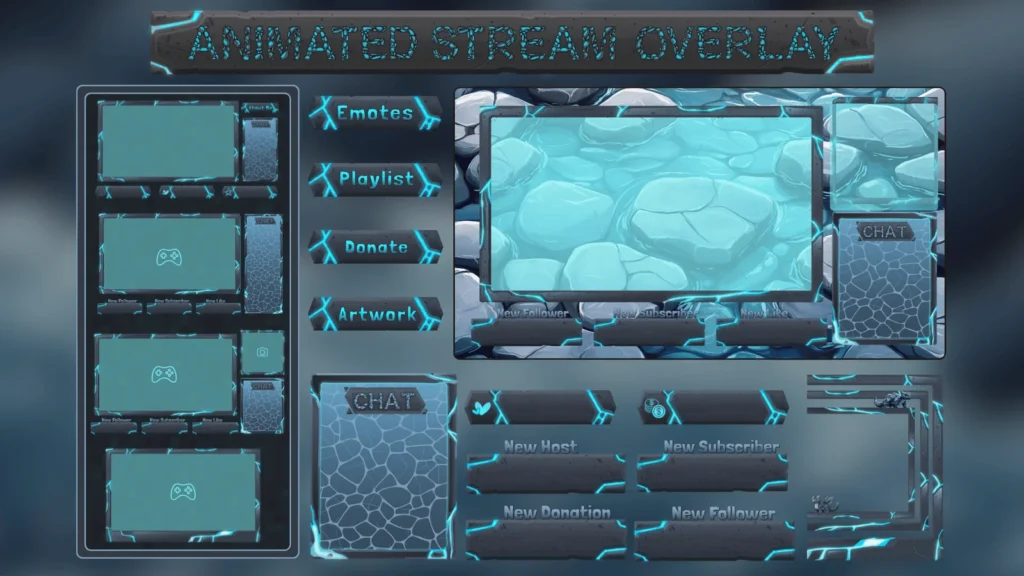
What the Water Stream Package Typically Includes
- Starting Soon screen
- Be Right Back screen
- Stream Ending screen
- Live gameplay overlay
- Matching stream panels
This package is ideal for streamers who want their channel to feel calm, polished, and premium.
Cliuck Link:
Water Stream Package – View Product
Best For
- Variety streamers
- Just Chatting streams
- VTubers
- YouTube and Twitch creators
- Long, relaxed streams
Task List Widget – To-Do List and Music Widget
Widgets make a stream feel alive and organized.
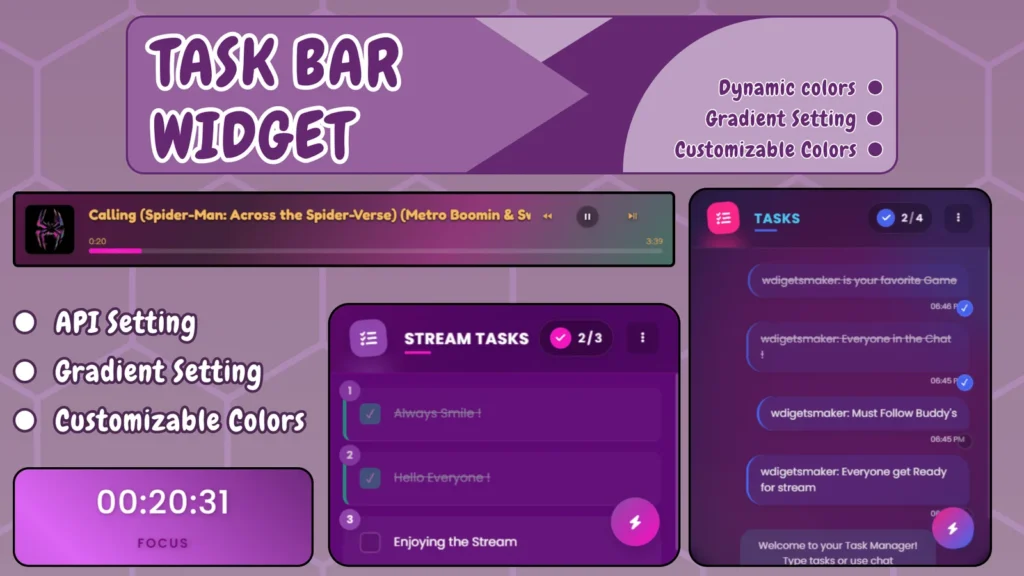
The Task List Widget from GreatOverlays helps streamers stay productive while keeping viewers informed and engaged.
This widget can be used as:
- A live to-do list
- A task progress tracker
- A music display widget
- A stream goal list
Why Task List Widgets Are Effective
- Shows progress in real time
- Adds structure to long streams
- Encourages viewer interaction
- Perfect for productivity and creative streams
- Makes streams feel purposeful
Viewers enjoy seeing tasks being completed live, which increases watch time and engagement.
Click Link:
Task List Widget – View Product
Best For
- Productivity streams
- Study and work streams
- Creative projects
- Music-focused streams
- VTubers and Just Chatting creators
Why the Water Stream Package and Task List Widget Work Well Together
Using these two products together creates a balanced and professional stream setup:
- The Water Stream Package keeps visuals clean and relaxing
- The Task List Widget adds structure and interaction
This combination is ideal for streamers who want their audience to feel focused, relaxed, and involved.
Key benefits include:
- Cleaner stream layout
- Better viewer retention
- Clear stream goals
- Increased interaction
- Strong visual consistency
Why Clean Stream Design Matters
A clean and organized stream design helps you:
- Look professional instantly
- Reduce visual fatigue for viewers
- Keep attention on your content
- Build trust with new audiences
- Stand out from cluttered streams
Modern viewers prefer streams that are easy to watch and visually comfortable.
Why Streamers Choose GreatOverlays
GreatOverlays focuses on streamer-first design:
- Compatible with OBS and Streamlabs
- Beginner-friendly setup
- Clean and modern visuals
- Twitch and YouTube ready
- Designed for long sessions
Every product is created to support your content, not distract from it.
Final Call to Action
If you want a stream that feels clean, calm, and professional, combining the Water Stream Package with the Task List Widget is a smart upgrade.
final CTA link here:
Upgrade Your Stream with GreatOverlays
FAQs – Stream Packages and Widgets
Are these products compatible with OBS and Streamlabs?
Yes, both products work smoothly with OBS and Streamlabs.
Can I use these products on YouTube streams?
Yes, they are suitable for both Twitch and YouTube.
Is the Task List Widget customizable?
Yes, you can update tasks and text to match your stream needs.
Is the Water Stream Package beginner-friendly?
Yes, it is easy to install and use, even for new streamers.
Do widgets really improve viewer engagement?
Yes, viewers enjoy seeing progress and interacting with structured streams.
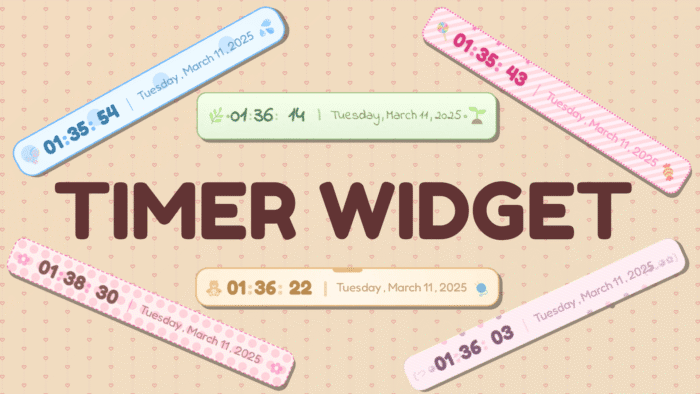 Date and time widget