

If you want a professional, clean, and visually appealing Twitch or YouTube channel, you know how much your branding matters. Viewers decide in seconds if your stream looks engaging, and everything – your layout, colors, alerts, and overall design – plays a role in keeping them watching.
That’s where greatoverlays comes in. They offer two excellent options for streamers:
- Brush Stroke – Stream Package
- Build Your Own Bundle
One gives you a complete ready-to-go setup, and the other lets you pick exactly what you need. Either way, you get full control over how your stream looks.
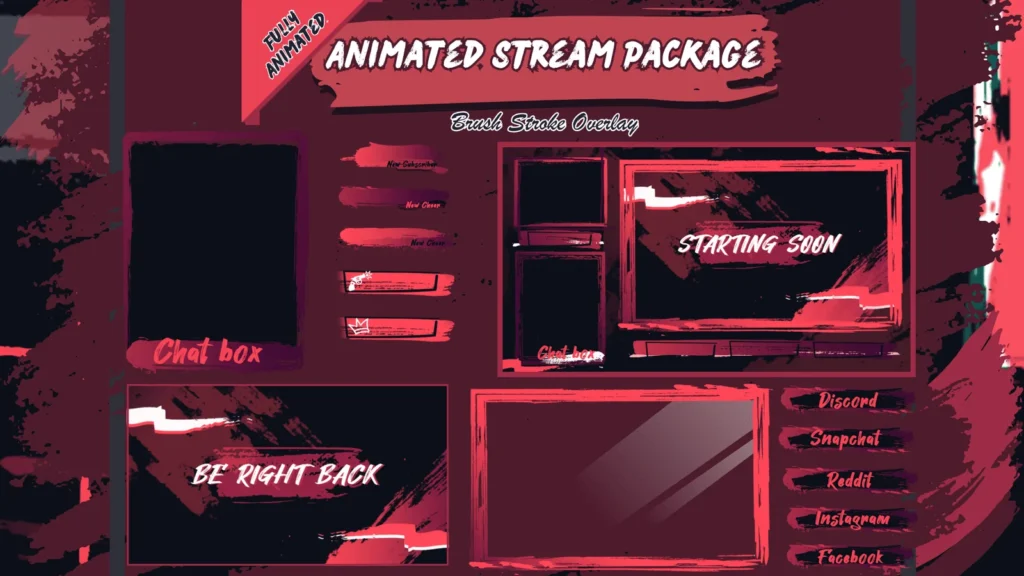
Brush Stroke – Stream Package
The Brush Stroke Stream Package is perfect if you want a simple, modern, artistic style that stands out without being overwhelming.
It typically includes:
- Starting Soon screen
- Be Right Back (BRB) screen
- Stream Ending screen
- Webcam overlay
- Panels
- Alerts
- Headers and banners
Everything is designed with smooth brush-stroke visuals, giving your stream a polished, professional look.
Why streamers love it:
- Immediate professional look
- Simple design fits any game or content style
- Easy drag-and-drop setup for OBS, Streamlabs, and more
- Consistent visuals across Twitch, YouTube, and other platforms
This package is great for beginners or anyone wanting to refresh their stream layout quickly.
Build Your Own Bundle
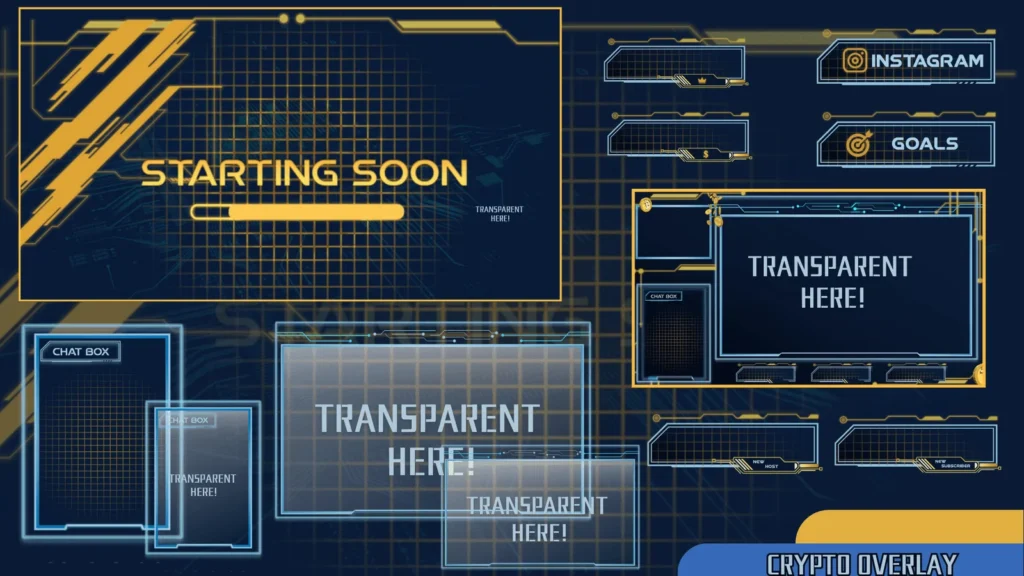
This option is ideal if you don’t need a full package or want more customization. You can pick exactly what you want and only pay for what you’ll use.
You can choose from:
- Overlays
- Screens
- Alerts
- Sub badges
- Emotes
- Panels
- Banners
- VTuber-specific assets
Why streamers choose this:
- Customize your stream setup exactly how you want
- Mix and match styles and colors to fit your theme
- Build your brand gradually without overspending
- Upgrade easily over time
Brush Stroke Package vs Build Your Own Bundle
Brush Stroke Package is best if:
- You want a complete, ready-to-go setup
- You like a simple, artistic look
- You want everything to match perfectly
Build Your Own Bundle is best if:
- You want full customization
- You already have a theme in mind
- You don’t need a full package
- You want to combine different styles
Both options help you achieve a professional, polished look without spending hours designing.
Why Stream Branding Matters
Many streamers underestimate visuals, only realizing the impact when growth slows. Strong visuals lead to:
- Better first impressions
- Longer viewer engagement
- Stronger brand recognition
- More followers and subscribers
greatoverlays products are designed to give maximum visual impact with minimal effort, helping your stream stand out immediately.
Why Choose greatoverlays?
- Simple, modern designs
- High quality and ready to use
- No watermarks
- Instant download after purchase
- Works for Twitch, YouTube, and VTubers
- Consistent visual style across all assets
greatoverlays provides the visuals you need to take your stream from okay to impressive.
Final Thoughts
For streamers who want a memorable channel, these options are essential:
- Brush Stroke Stream Package: Ready-to-go, artistic setup
- Build Your Own Bundle: Fully customizable branding
No matter your content type – gaming, chatting, IRL, or VTubing – these options make your stream look professional and keep viewers engaged.
FAQs – Stream Packages & Bundles
- What’s included in the Brush Stroke Stream Package?
Screens, overlays, panels, alerts, and other visuals, all matching in style. - Can I customize the Build Your Own Bundle?
Yes, you pick exactly what you need. - Is the Brush Stroke package easy for beginners?
Yes, everything is drag-and-drop ready for OBS, Streamlabs, and similar software. - Can I mix styles in the Build Your Own Bundle?
Yes, you can create a unique look by combining different assets. - Do these work on Twitch and YouTube?
Yes, all greatoverlays designs are compatible across platforms.