

Level Up Your Fallout Stream with These Essentials
Streaming in the wasteland? Whether you’re a Fallout newbie or a seasoned VTuber, your broadcast deserves to look sharp, keep viewers chatting, and leave a lasting impression.
greatoverlays just dropped three Fallout-themed tools that can supercharge your Twitch or YouTube channel. From screens to badges to emotes, these products are designed to make your stream stand out with that post-apocalyptic charm.
Let’s break down how each one can upgrade your stream and help you build a loyal community.
1. Four Fallout Twitch Screens: Stream Like a Wasteland Pro
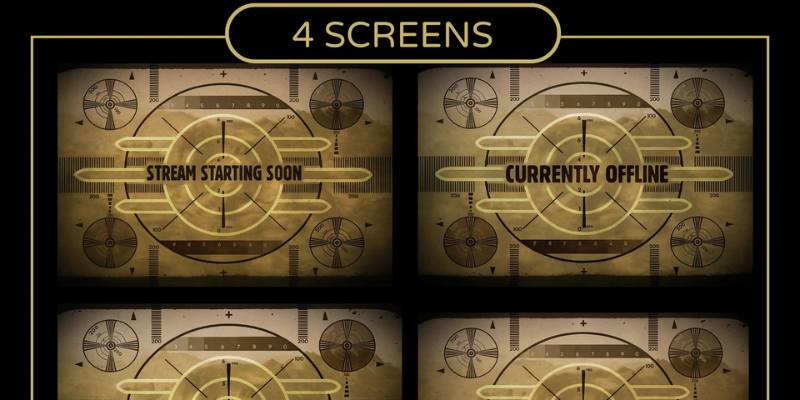
First impressions matter. A great-looking screen tells viewers you mean business. The 4x Fallout Twitch Screens pack comes with:
- Starting Soon Screen: Build anticipation before you go live with cinematic backgrounds.
- Be Right Back (BRB) Screen: Keep viewers entertained while you step away.
- Stream Ending Screen: Finish strong and leave a lasting impression.
- Offline Screen: Make your channel look professional, even when you’re not live.
These screens feature classic Vault-Tec colors, retro-future textures, and a cinematic feel that transports viewers straight into the Fallout world.
Why these screens rock:
- Instantly upgrade your stream’s look
- Keep viewers engaged during breaks
- Make your channel unique
- Simple to use — just drop into OBS or Streamlabs
Quick Tip: Pair these with matching Fallout emotes and badges for a fully themed stream.
(4x FallOut Twitch Screen For Streamer/Youtubers)
2. Nuka Cola Sub Badges: Give Your Chat Some Pop
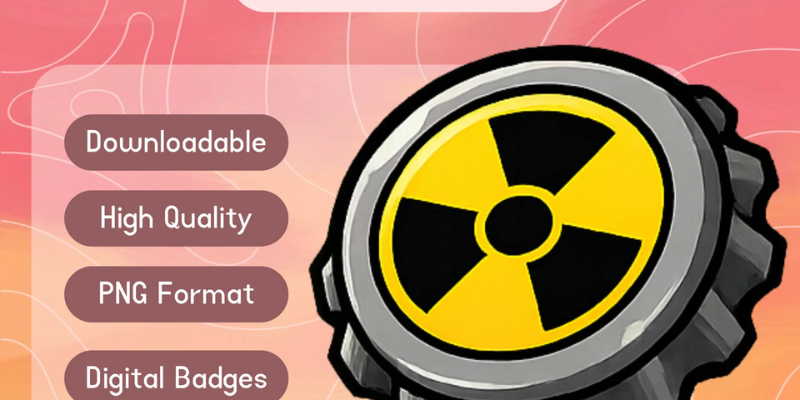
Sub badges aren’t just decorative—they show support and encourage engagement. The Nuka Cola Sub Badges give subscribers a fun way to flaunt their loyalty.
Badge Levels:
- Level 1: Classic Nuka Cola
- Level 2+: Quantum, Cherry, and Victory flavors
Why badges are game-changers:
- Encourage subscriptions and long-term support
- Build a sense of community
- Add that iconic Fallout flair
Quick Tip: Shout out new badge levels on stream—viewers love seeing their support recognized.
(Nuka Cola Sub Badges For Twitch Streamers)
3. Fifteen Fallout Emotes: Make Chat Come Alive
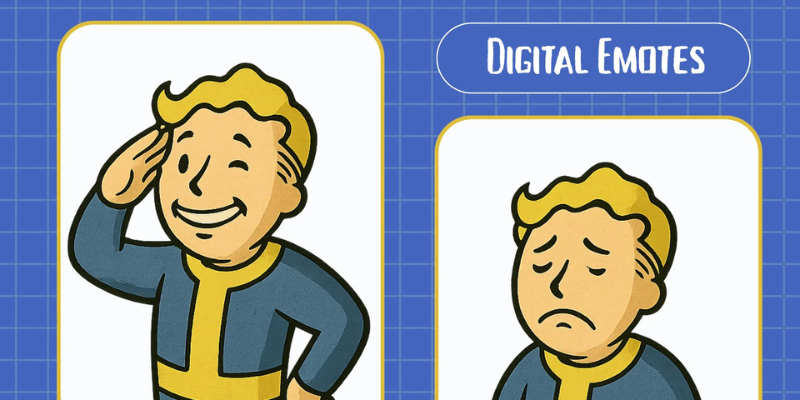
A stream without emotes is like a wasteland without loot—they’re essential for fun and engagement. The 15x Fallout Emotes pack is perfect for chat reactions, hype moments, and community interaction.
Why you’ll love these emotes:
- Cute, funny, and perfectly Fallout-themed
- Encourage viewer interaction
- Great for raids, subs, or donations
- Complements your screens and badges for a unified look
How to use them:
- React to funny or hype moments
- Celebrate new followers, raids, or donations
- Keep chat lively and fun
Quick Tip: Rotate emotes periodically to keep chat engaged.
(15x Full Out Emotes For Streamers/Vtubers)
Why These Three Essentials Are a Game-Changer
- Complete Look: Screens, badges, and emotes combine for a full Fallout experience
- Boost Engagement: Badges and emotes keep chat active and viewers invested
- Stand Out: A themed stream makes your channel memorable
- Easy Setup: Ready-to-use designs compatible with OBS, Streamlabs, and VTuber setups
These tools save time, make your stream look professional, and keep your audience entertained.
Why Choose greatoverlays?
greatoverlays is known for:
- Ready-to-use designs
- No watermarks and easy customization
- Professional-quality, themed graphics
- Support for Twitch, YouTube, and VTuber streaming
Investing in these tools means investing in your stream’s growth and viewer experience.
Final Word
If you’re streaming Fallout, these three essentials are a must:
- 4x Twitch Screens → Keep your stream looking top-notch
- Nuka Cola Sub Badges → Build a strong, loyal community
- 15x Fallout Emotes → Add personality and fun to chat
Upgrade your stream, stand out from the crowd, and give your viewers something to remember—all with greatoverlays.
FAQs — Fallout Streaming Essentials
1. How do I use the 4x Fallout Twitch Screens?
Just download and upload them to OBS or Streamlabs for Starting Soon, BRB, Ending, and Offline screens.
2. What are Nuka Cola Sub Badges?
They are unique subscriber badges inspired by Fallout that show in chat and encourage loyalty.
3. Can I use the 15x Fallout Emotes on both Twitch and YouTube?
Yes, they work on both platforms and keep your chat interactive.
4. Are these products beginner-friendly?
Yes, all products are plug-and-play with no design skills needed.
5. Why choose greatoverlays for Fallout streaming?
They provide high-quality, ready-to-use designs that make your stream look professional and engaging.